
Ever stared at a page of messy notes from a meeting or study session? You know the ideas connect somehow, but everything blurs together. Mind mapping fixes that fast. It turns chaos into a clear picture, like drawing your thoughts as a tree with branches.
This simple tool starts with one main idea in the center. Then branches spread out for related points, using words, colors, and images. Your brain loves this setup because it thinks in networks, not straight lines. Students use it to ace exams. Teams plan projects without missing steps. Even artists spark fresh concepts.
Tony Buzan made it popular in the 1970s, but roots go way back. You’ll see how to build one yourself, why studies show it boosts memory, top tools for 2026, and real examples. Stick around. You’ll finish ready to map your next big idea.
Where Mind Mapping Came From and Why It Stuck
People drew idea trees long before computers. In the 3rd century, philosopher Porphyry created the Tree of Porphyry. He branched concepts from Aristotle’s categories, like substance to body or animal. This simple diagram clarified tough philosophy for students.
Fast forward to the Renaissance. Leonardo da Vinci filled notebooks with sketches. He linked inventions, anatomy notes, and observations with lines and doodles. These weren’t neat charts. They captured how his mind jumped between ideas.
By the 1950s, semantic networks appeared in psychology. Researchers like Ross Quillian modeled knowledge as connected nodes. Then Tony Buzan coined “mind mapping” in 1974. His books taught rules like curves and colors to match brain patterns.
Buzan said, “Traditional notes trap ideas in lines. Mind maps free them to radiate.” He drew from nature, like roots or neurons. Today millions use it daily. Apps make it easy, but the core stays the same: visual, organic thinking.
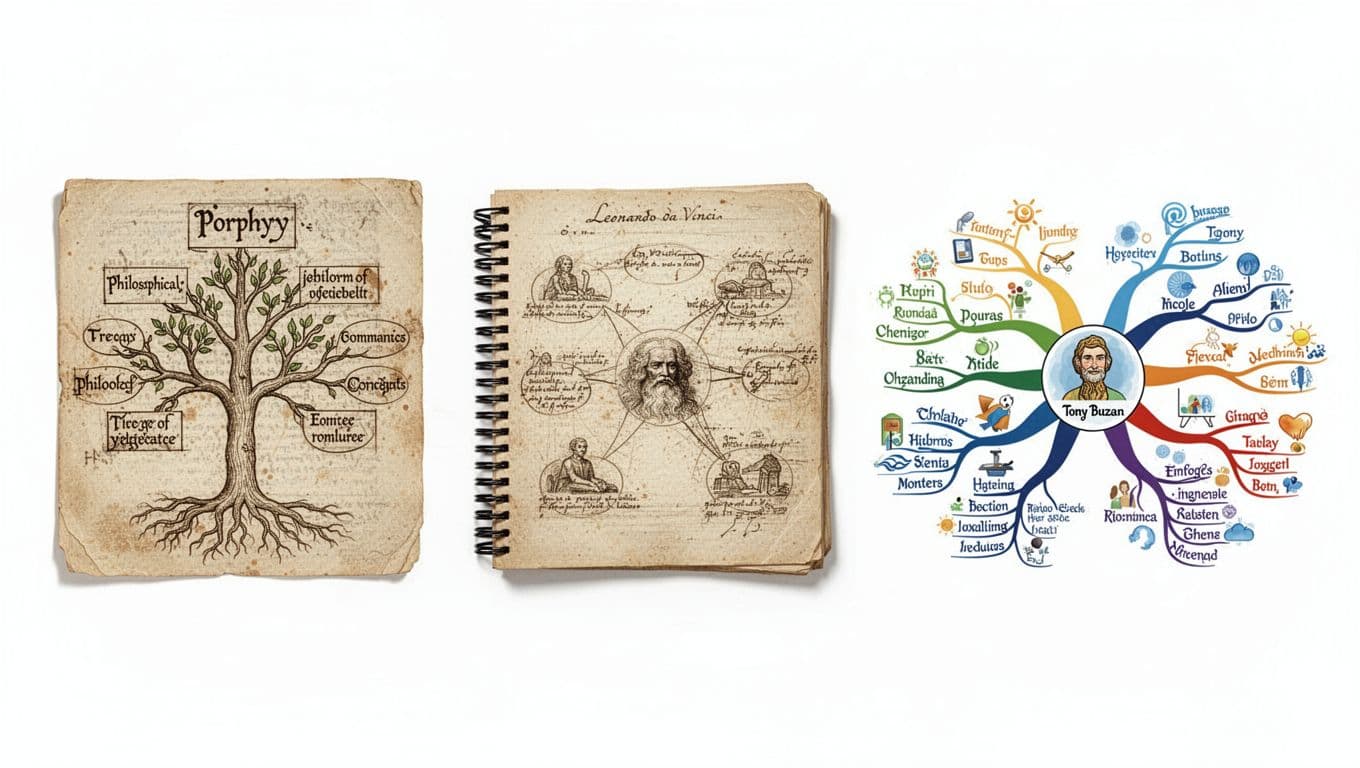
For a full timeline from Porphyry to Buzan, check this detailed history of mind mapping. It stuck because it feels natural. Straight lists bore the brain. Branches show links at a glance.
Build a Mind Map in Minutes: Follow These Easy Steps
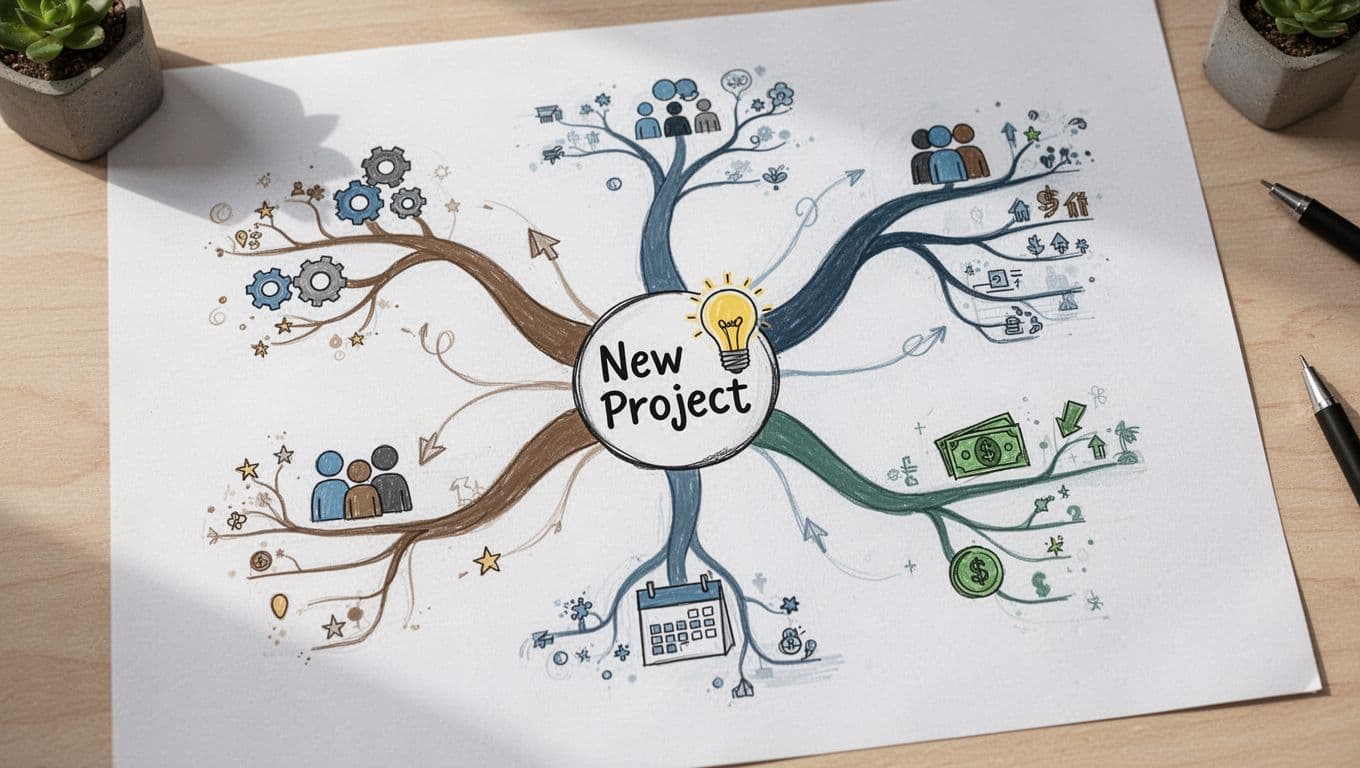
Grab paper and a pen. Start in the center. Write your main idea in big, bold letters. Add a quick image, like a lightbulb for “new business.” This grabs attention right away.
Next, draw three to seven thick branches for key subtopics. Use one color per branch. Pick short keywords only, no full sentences. For a project, branches might say “team,” “goals,” “budget.”
From each thick line, add thinner branches for details. Curve the lines for flow. Use arrows to show connections. Toss in icons or doodles, like a clock for deadlines.
Colors help separate ideas. One branch green for growth, red for risks. Link distant branches with dotted lines. This reveals hidden ties.
Finally, step back. Refine it. Fit everything on one page. Hand-draw first; it sparks creativity faster than typing.
Customize with Buzan’s Golden Rules
Buzan set rules that boost recall. Put a central image, not just words. It encodes memory twice as strong.
Hierarchy matters. Thick lines for big ideas, thin for small. This creates natural flow.
Use single keywords. They force clarity and speed thinking.
One color per branch aids grouping. Colors trigger emotions and stick in mind.
Balance words and images at 50/50. Pictures process faster than text.
Skip straight lines or boxes. Curves mimic brain paths, so ideas link easier.
These rules make maps memorable. Follow them, and you’ll remember more with less effort.
Variations to Try for Different Needs
Not every map fits one style. Concept maps add linking phrases like “leads to” for arguments. Use them in debates or science.
Cognitive maps plot spaces, like office layouts or city routes. They help navigation.
Brainstorming webs stay loose, no strict hierarchy. Perfect for wild ideas.
Pick based on goal. Standard mind maps for planning. Concept maps for logic chains. Try each; you’ll find favorites.
Why Mind Maps Make You Smarter, Faster, and More Creative
Mind maps match how your brain stores info. Neurons fire in webs, not lists. So maps improve recall by 10% in studies.
Medical students saw better grades with maps versus notes. One review found they grasp complex topics quicker. Check this study on mind maps for academic performance.
They cut overwhelm in work. See project gaps at once. Teams spot missing steps before launch.
Creativity flows free. Ditch linear outlines. Branches invite new links, like tying “budget” to “risks.”
A student mapped World War II. Causes, battles, leaders branched out. She aced the test, unlike linear notes.
Productivity rises too. Daily to-do maps prioritize easy. No more forgotten tasks.
In short, maps organize chaos. You think clearer and act faster.
Power Up with the Best Mind Mapping Tools in 2026
Paper works great, but apps speed things up. XMind leads for pros. It runs on all devices with AI Copilot for idea suggestions. Offline mode and slide exports shine.
MindMeister suits teams. Real-time edits feel like Google Docs. Add tasks and comments easily.
Mindomo offers clean collab. Syncs across platforms since 2007.
Taskade mixes maps with docs. AI brainstorms in real time.
MindMap AI excels on Android. Turns voice notes or PDFs into maps fast.
Trends hit hard this year. AI auto-builds from text or speech. Handwriting recognition grows; draw on tablets, get clean lines. VR stays niche, mostly 2D with 3D views.
Start free. XMind and Coggle handle basics well.
Free vs Paid: Pick What Fits Your Style
Free tiers suit solo users. GitMind or Boardmix give AI layouts without cost.
Paid unlocks sharing and templates. MindMeister at $6.99/month lets teams edit live.
Mobile apps boom. Pick web for desks, apps for phones. Test two; match your flow.
Mind Maps That Changed Real Lives: Examples and Pitfalls
A student sketched World War II. Center: “WWII.” Branches: causes (treaty, depression), battles (Normandy, Pearl Harbor), leaders (Hitler, Churchill). Icons like tanks helped recall.
Business owner mapped a product launch. Center: “New App.” Subtopics: marketing, budget, timeline. Links showed promo tied to costs.
Vacation planner: “Italy Trip.” Branches for flights, food, sights. Doodles of pizza and Colosseum made it fun.
Common pitfalls trip folks up. Overcrowd with sentences; stick to keywords. Straight lines kill flow; curve them. Skip colors; they separate ideas.
No review? Maps grow stale. Prune daily.
Fixes work. Use one page. Add images. You’ll see results quick.
Ready to Map Your Ideas?
Mind mapping started with ancient trees and grew into a brain-friendly tool. Buzan’s steps make it simple: center idea, branch out with colors and curves. Benefits hit hard, from better memory in studies to clearer plans. Apps like XMind add AI power for 2026.
Grab paper or fire up an app now. Map your next project or goal. You’ll spot connections you missed.
Share your first mind map in the comments. What big idea will you tackle? Subscribe for more ways to work smarter. AI and VR shifts coming; stay tuned.